Generate UPC-A Barcodes
Implement seamlessly across Crystal Reports, MS Excel, and MS Access



Generate Upc-a Barcode in MS Access Database
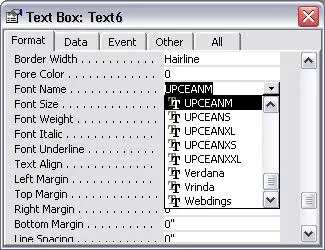
This implementation configures automated Upc-a barcode generation in database reports by **registering the underlying COM DLL framework** (cruflbcs_x64.dll for 64-bit platforms or cruflbcs.dll for 32-bit setups) using an elevated command prompt. After **lowering macro restrictions** within the Access Trust Center workspace, open the VBA backend via ALT + F11 to **link the crUFLBcs Type Library reference** and import the global barcodesoft.bas functions module. Finally, navigate to your report Design View, **bind the target textbox control source** using a table-mapped encoding expression like =Upca([TableName].[FieldName]), and change the control typeface properties to the specialized UpcEanM barcode font.
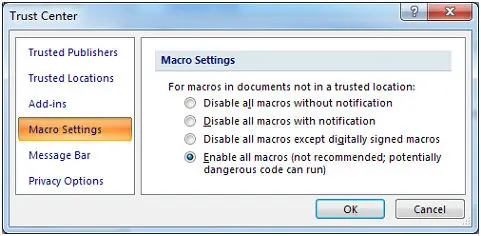
Step 1. Adjust Database Security Properties
Modern Access Versions: Access Options Menu panel → Trust Center workspace options setup layout → Macro Settings → Choose "Enable all macros".
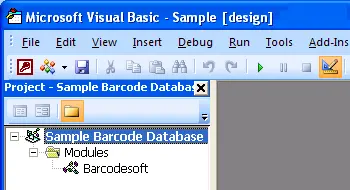
Step 2. Run Visual Basic Engine Window
Launch the VB development application layout environment immediately by applying keyboard hotkeys combination triggers: ALT + F11.
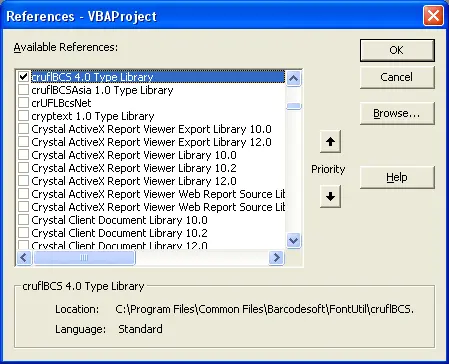
Step 3. Reference Type Library Extensions
Open Tools → References options interface. Click Browse targeting library file matching path variables location to activate cruflbcs.dll dependencies tracking elements. Pick the select block next to crUFLBcs 4.0 Type Library, then finalize step saving actions.
Step 4. Append Module File Functions Library
Press Ctrl + M to append script structures data using standard template files barcodesoft.bas components layout definitions module framework package directly.
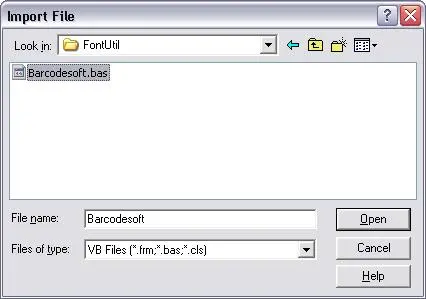
Step 5. Implement Report Macro Expressions
Exit the VBA developer windows, return safely back onto the database designer environment, and switch reports workspace views towards standard Design View layout structures. Type expression formatting values precisely into targeting object control sources textboxes fields:
Replace 'tableName' with your database table name and 'fieldName' with your code field name.
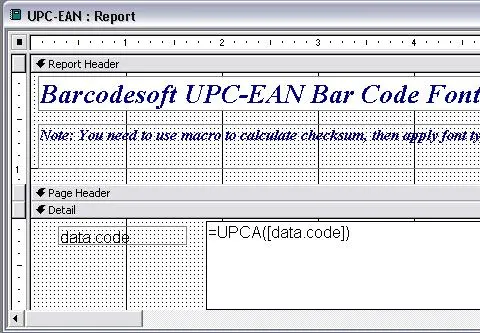
Step 6. Finalize Typography System Configurations
Right-click target reporting control text container objects fields box areas picking layout Properties list context menus options mapping block. Alter control styling parameters to handle text display rendering behavior utilizing font type name family records matching UpcEanM typeface systems.