Free Telepen Barcode Generator
This site is supported by advertising.
Ads help keep our service free.
Ads help keep our service free.
X Width:
pixel(s)
Y Height:
pixel(s)
Image format guide:
PNG – Lossless compression. Best for barcodes, QR codes, logos, and images with sharp edges or transparency. Larger file size but maximum clarity.
JPEG (JPG) – Lossy compression. Good for photos and complex images with gradients. Smaller files, but not ideal for barcodes or text due to compression artifacts.
WebP – Modern format with superior compression. Supports both lossy and lossless modes, often producing smaller files than PNG or JPEG at similar quality. Good general-purpose choice.
SVG – Vector format (not pixel-based). Infinitely scalable with no quality loss. Ideal for QR codes, logos, and graphics that need to resize perfectly. Very small file size for simple graphics.
PNG – Lossless compression. Best for barcodes, QR codes, logos, and images with sharp edges or transparency. Larger file size but maximum clarity.
JPEG (JPG) – Lossy compression. Good for photos and complex images with gradients. Smaller files, but not ideal for barcodes or text due to compression artifacts.
WebP – Modern format with superior compression. Supports both lossy and lossless modes, often producing smaller files than PNG or JPEG at similar quality. Good general-purpose choice.
SVG – Vector format (not pixel-based). Infinitely scalable with no quality loss. Ideal for QR codes, logos, and graphics that need to resize perfectly. Very small file size for simple graphics.
This site is supported by advertising.
Ads help keep our service free.
Ads help keep our service free.
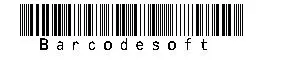
Telepen barcode was designed to encode ASCII characters without shift-character. Wide to narrow ratio is 3:1. Telepen barcode has two different modes: alphanumeric mode and numeric-only mode.
Under both modes, Telepen barcode requires a start character, a check digit and a stop character. Telepen is compact. It can encode eight characters or sixteen digits per inch.