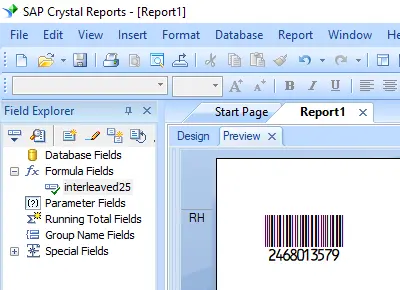
生成 interleaved-2-of-5 条码
在 Crystal Reports、MS Excel 和 MS Access 中实现无缝集成


在 Crystal Reports 中生成 interleaved-2-of-5 条码
SAP Crystal Reports 2008 / 2011 / 2013 / 2016 为 32 位。
SAP Crystal Reports 2020 / 2025 为 64 位。
1.1 如果您的 SAP Crystal Reports 是 64 位的,请按照以下说明注册 64 位 cruflbcs_x64.dll。
右键点击命令提示符,以管理员身份运行命令提示符。
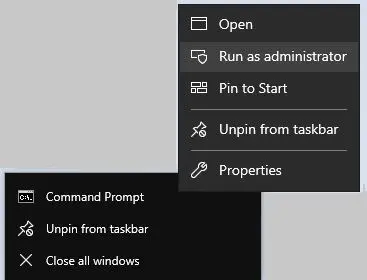
要注册 64 位 DLL,请输入以下命令
                cd "C:\Program Files\Common Files\Barcodesoft\FontUtil"

                %systemroot%\System32\regsvr32.exe cruflbcs_x64.dll
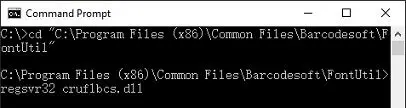
1.2 如果您的 SAP Crystal Reports 是 32 位的,请按照以下说明注册 32 位 cruflbcs.dll。
输入以下命令以注册 32 位 cruflbcs.dll
                cd "C:\Program Files (x86)\Common Files\Barcodesoft\FontUtil"

                regsvr32.exe cruflbcs.dll
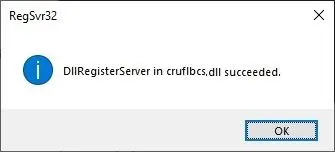
如果您看到以下窗口弹出,则表示注册成功。
2. 定位 UFL 函数。
浏览层级结构:函数列表 ⇒ 附加函数 ⇒ COM 和 .NET UFLs (u212com.dll) ⇒ Visual Basic UFLs。
双击 BCSLineari25 函数。
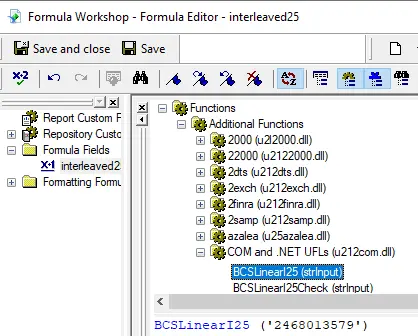
3. 创建新的公式字段
打开您的 Crystal Report。
右键点击 公式字段 (Formula Fields) 并从上下文菜单中选择 “新建...” (New...)。
将名称设置为 “I25MHr”,然后点击 “使用编辑器” (Use Editor)。
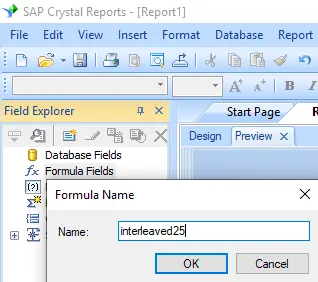
4. 使用数据库字段作为 interleaved-2-of-5 公式的参数
输入数据库字段作为 interleaved-2-of-5 公式的参数。
然后点击“保存”按钮以保存 interleaved-2-of-5 公式字段。
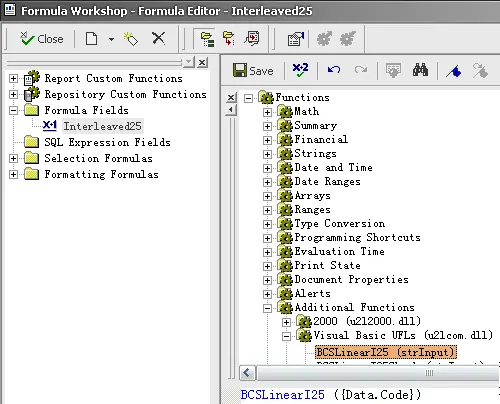
4. 将 Interleaved 2of5 公式字段拖放到您的 Crystal Report 设计视图中。
您将在报表中看到一些奇怪的字符。别担心!
您尚未应用 Interleaved 25 条码字体。
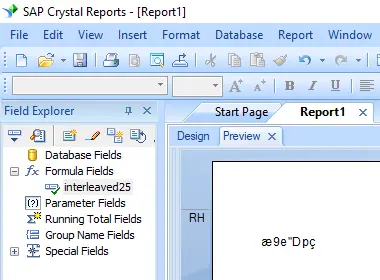
6. 应用字体类型 I25MHr。
右键点击 Interleaved 2of5 公式字段,从上下文菜单中选择 “格式化对象” (Format Object)。
然后选择 “I25MHr” 作为字体。
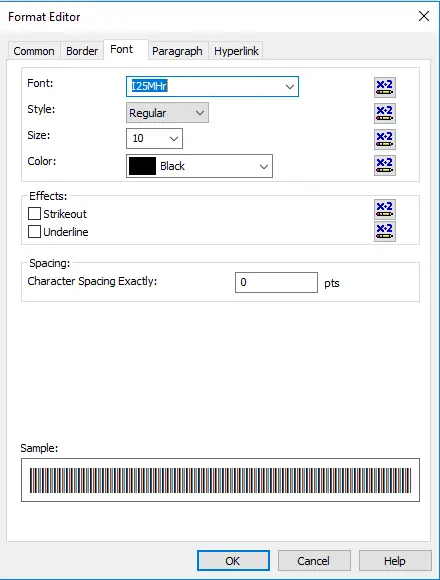
7. 在您的 Crystal Reports 中创建了 interleaved-2-of-5 条码。
点击确定按钮。
您将在报表中得到 interleaved-2-of-5 条码。