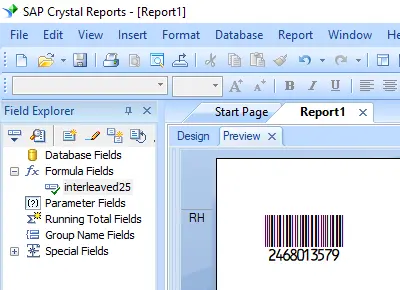
Interleaved 2 of 5 バーコードを生成
Crystal Reports、MS Excel、MS Accessでシームレスに実装


Crystal ReportsでInterleaved 2 of 5 バーコードを生成
SAP Crystal Reports 2008 / 2011 / 2013 / 2016 は32ビットです。
SAP Crystal Reports 2020 / 2025 は64ビットです。
1.1 SAP Crystal Reportsが64ビットの場合は、以下の手順で64ビットのcruflbcs_x64.dllを登録してください。
コマンドプロンプトを右クリックし、管理者として実行します。
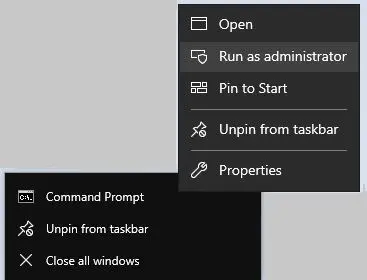
64ビットDLLを登録するには、以下のコマンドを入力してください。
                cd "C:\Program Files\Common Files\Barcodesoft\FontUtil"

                %systemroot%\System32\regsvr32.exe cruflbcs_x64.dll
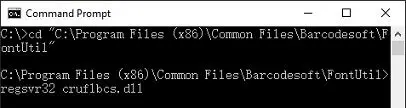
1.2 SAP Crystal Reportsが32ビットの場合は、以下の手順で32ビットのcruflbcs.dllを登録してください。
以下のコマンドを入力して32ビットのcruflbcs.dllを登録します。
                cd "C:\Program Files (x86)\Common Files\Barcodesoft\FontUtil"

                regsvr32.exe cruflbcs.dll
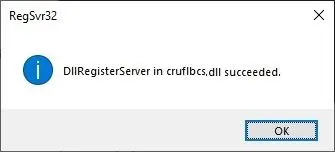
以下のウィンドウがポップアップ表示されれば、登録成功です。
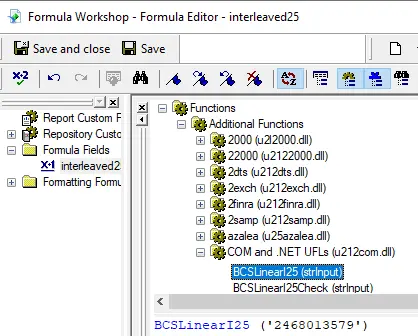
2. UFL関数を特定する
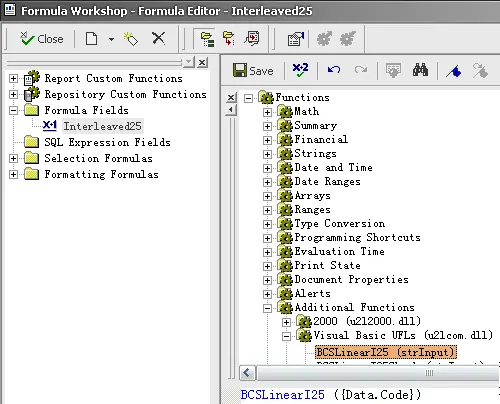
階層を移動します: 関数リスト ⇒ 追加関数 ⇒ COM and .NET UFLs (u212com.dll) ⇒ Visual Basic UFLs。
BCSLineari25関数をダブルクリックします。
3. 新しい式フィールドを作成する
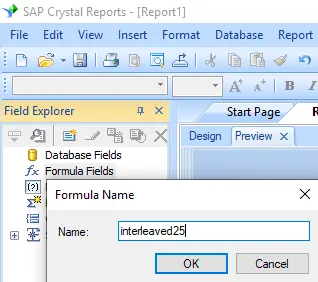
Crystal Reportを開きます。式フィールドを右クリックし、コンテキストメニューから"新規..."を選択します。
名前を "I25MHr" に設定し、"エディタを使用"をクリックします。
4. データベースフィールドをInterleaved 2 of 5式のパラメータとして使用する
データベースフィールドをInterleaved 2 of 5式のパラメータとして入力します。
"保存"ボタンをクリックして式フィールドを保存します。
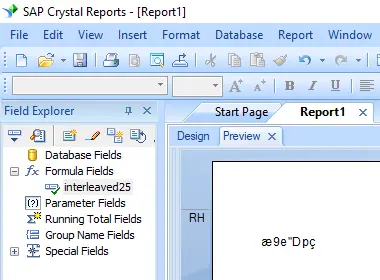
4. Interleaved 2 of 5 式フィールドをCrystal Reportsのデザインビューにドラッグ&ドロップします。
レポートに奇妙な文字が表示されますが、心配しないでください。
まだInterleaved 25バーコードフォントを適用していないためです。
6. フォントの種類I25MHrを適用する
Interleaved 2 of 5 式フィールドを右クリックし、コンテキストメニューから"オブジェクトの書式設定"を選択します。
次に、フォントとして "I25MHr" を選択します。
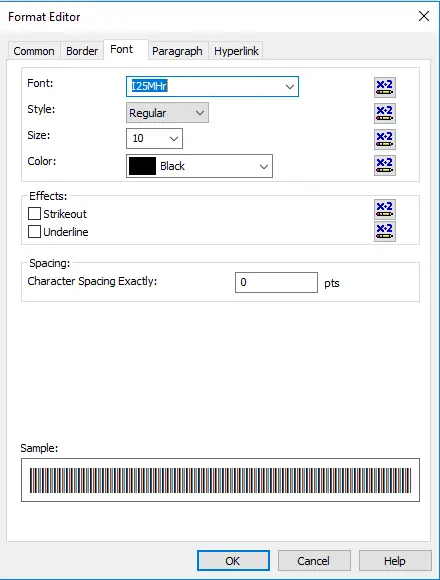
7. Crystal Reports内にInterleaved 2 of 5 バーコードが作成されました。
OKボタンをクリックします。
レポート内にInterleaved 2 of 5 バーコードが表示されます。