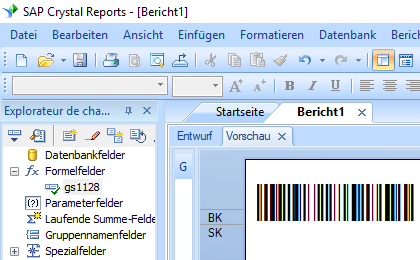
GS1128-Barcodes unter Crystal Reports generieren


Generieren Sie in Crystal Reports GS1128
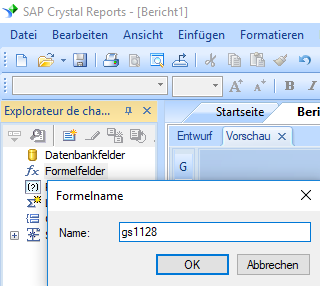
1. Starten crystal report. Klicken Sie mit der rechten Maustaste auf Formelfelder und wählen Sie "Neu ..." aus dem Kontextmenü.
Geben Sie "GS1128" in das Textfeld Name ein. Klicken "Speichern und schließen".
2. Wählen Sie in "Funktionen ==> Zusätzliche Funktionen ==> COM und .NET -UFLs (u212com.dll)" die Funktion "BCSLinearGS1128" aus.
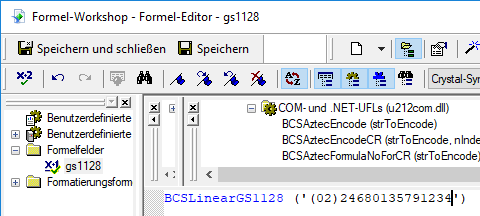
3. Geben Sie das Datenbankfeld als Parameter für die GS1128 barcode formel ein. Klicken Sie auf die Schaltfläche "Speichern".
4. Ziehen Sie das GS1128-Formelfeld in Ihren Kristallbericht.
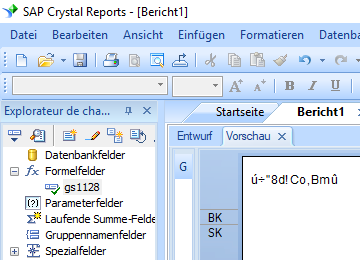
5. Klicken Sie mit der rechten Maustaste auf GS1128 formelfelder. Wählen Sie "Formatfeld" aus dem Kontextmenü. Wählen Sie dann die Schriftart "Code128m".
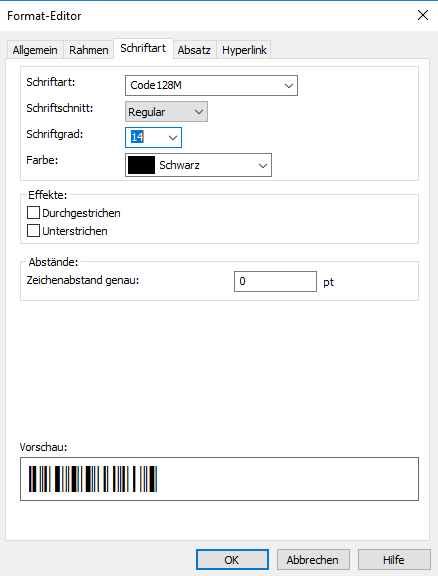
6. OK klicken. In Ihrem Bericht wird GS1128 angezeigt.