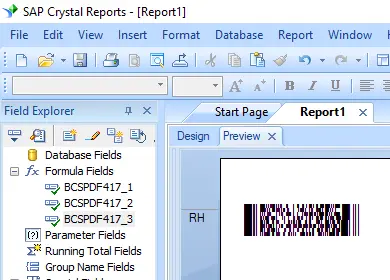
pdf417 バーコードの生成
Crystal Reports、MS Excel、MS Accessへのシームレスな実装


Crystal Reportsでのpdf417バーコード生成
SAP Crystal Reports 2008 / 2011 / 2013 / 2016 は32ビットです。
SAP Crystal Reports 2020 / 2025 は64ビットです。
1.1 SAP Crystal Reportsソリューションが64ビットの場合は、以下に示すように64ビットファイルの cruflbcs_x64.dll を登録してください。
コマンドプロンプトを右クリックし、「管理者として実行」を選択して開きます。
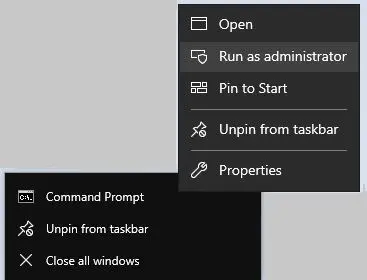
64ビットのDLLを登録するには、次のコマンドを入力します。
                cd "C:\Program Files\Common Files\Barcodesoft\FontUtil"

                %systemroot%\System32\regsvr32.exe cruflbcs_x64.dll
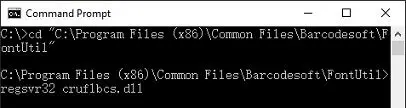
1.2 SAP Crystal Reportsソリューションが32ビットの場合は、以下に示すように32ビットファイルの cruflbcs.dll を登録してください。
32ビットの cruflbcs.dll ファイルを登録するには、次のコマンドを入力します。
                cd "C:\Program Files (x86)\Common Files\Barcodesoft\FontUtil"

                regsvr32.exe cruflbcs.dll
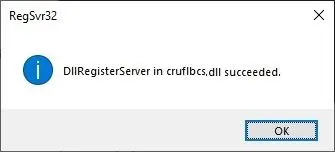
登録に成功すると、次のポップアップウィンドウが表示されます。
2. UFL関数の配置
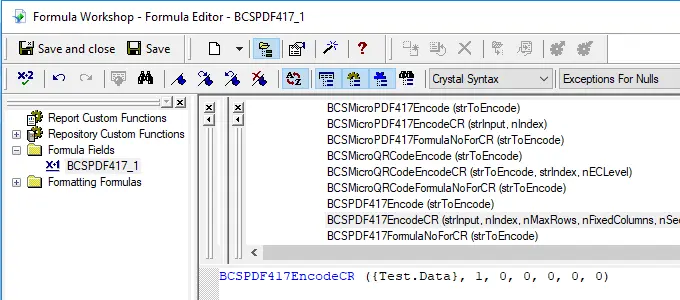
次の階層を展開します: 関数の一覧 ⇒ 追加関数 ⇒ COMおよび.NET UFL (u212com.dll) ⇒ Visual Basic UFL。BCSLinearpdf417 関数をダブルクリックします。
3. 新しい式フィールドの作成
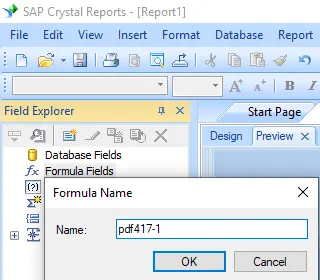
Crystal Reportsのレポートを開きます。「式フィールド」を右クリックし、コンテキストメニューから「新規作成...」を選択します。名前に「Bcspdf417」と入力し、「エディターを使用」をクリックします。
4. pdf417式のパラメータとしてデータベースフィールドを使用する
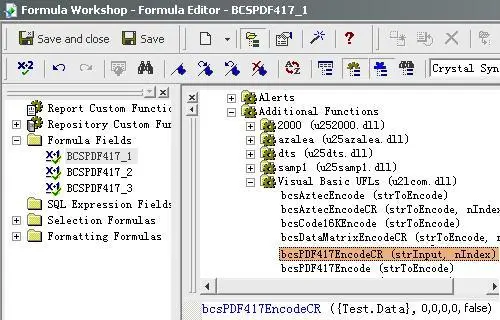
pdf417式のパラメータとしてデータベースフィールドを入力します。その後、「保存」ボタンをクリックして、pdf417式フィールドを保存します。
5. Crystal Reportsの変更デザインビューにテキストオブジェクトを挿入する
BCSPDF417FormulaNoForCR({Test.Data}) の返り値が1より大きい場合は、以下のように複数の式フィールドを作成してください。
BCSPDF417EncodeCR({Test.Data}, 1, 0, 0, 0, 0, 0)
BCSPDF417EncodeCR({Test.Data}, 2, 0, 0, 0, 0, 0)
BCSPDF417EncodeCR({Test.Data}, 3, 0, 0, 0, 0, 0)
第1パラメータはエンコードする文字列です。
式の中の第2パラメータはインデックス(位置)です。
その他のパラメータは、MaxRow(最大行)、FixedColumn(固定列)、Security(セキュリティ)、CompactionMode(圧縮モード)、およびTruncated(切り詰め)オプションです。
各パラメータの詳細な説明については、お読みください(readme)ファイルを参照してください。
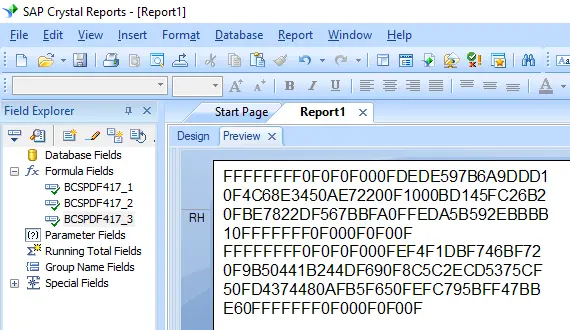
作成したpdf417式フィールドをCrystal Reportsのデザインビューにドラッグ&ドロップします。この時点では、意味不明な文字列が表示されますが、心配しないでください。まだpdf417バーコードフォントを適用していないためです。
6. Bcspdf417フォントを適用する
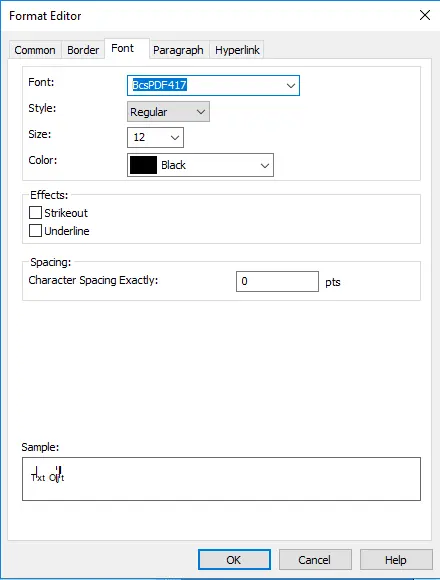
テキストオブジェクトを右クリックし、コンテキストメニューから「オブジェクトの書式設定」を選択します。フォントとして「BcsPdf417」を選択します。
7. Crystal Reportsにpdf417バーコードが作成されます
「OK」ボタンをクリックすると、レポート上にpdf417バーコードが表示されます。