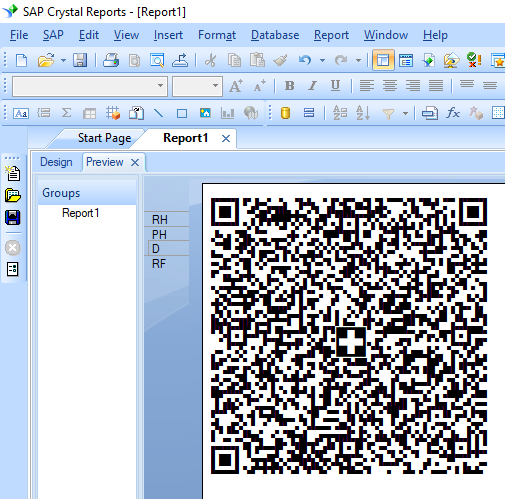


QR Code
Generate Swiss QRCode in Crystal Reports
1. Right click command prompt and run command prompt as administrator.
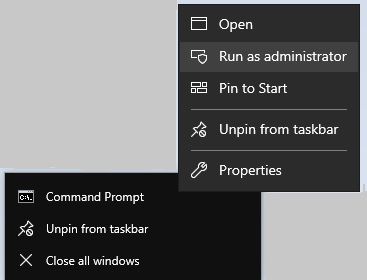
Type in the following commands to register cruflbcs.dll
cd "C:\Program Files (x86)\Common Files\Barcodesoft\FontUtil"
To register 64-bit DLL, please type in the following commands
regsvr32.exe cruflbcs.dll
                            cd "C:\Program Files (x86)\Common Files\Barcodesoft\FontUtil"

                            %systemroot%\System32\regsvr32.exe cruflbcs_x64.dll
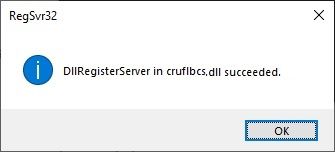
If you see the following Window pop up, your registration was successful.
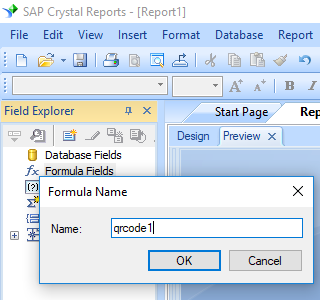
2. Open your crystal report. Right click Formula Fields, choose "New..." from the context menu.
Type in "qrcode1" in the Name textbox, then click "Use Editor".
3. After QRCode encoding process, even a short string might return more code words than you expect.
However, Crystal Reports allows no more than 254 characters in a formula field.
Therefore we have to split QRCode code words into different parts, and concatenate them in a Text Object before apply font BcsQRCodeSwissFlag.
As for how many formula fields are needed, you use the following function to find out:
BCSQRCodeFormulaNoForCR({Data.Code}).
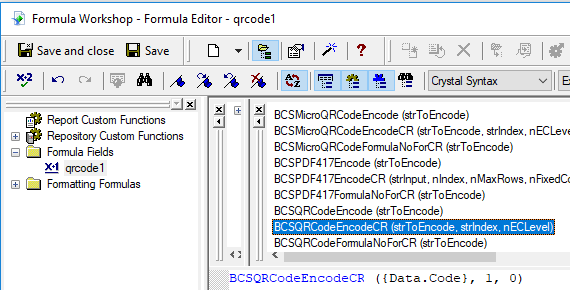
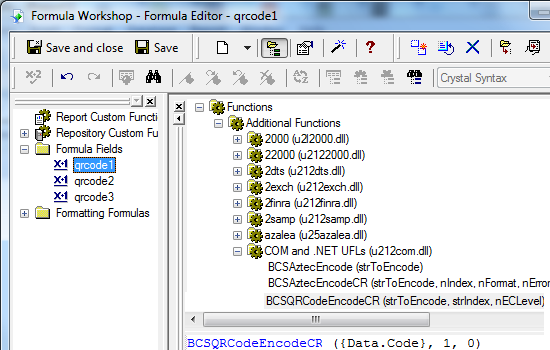
4. Insert a text object into your report. Create multiple formula fields as listed below. Then drag and drop them in sequence within the same Text Object.
Local stringVar codestr := "SPC 0200 1 CH3230000001876930777 K Swisscom (Schweiz) AG Alte Tiefenaustrasse 6 3050 Bern CH 320.55 CHF S IFOB GmbH Adligenswilerstr. 119 6006 Luzern CH QRR 000533882377025699530920229 Rechnungskonto: BSC:BAC:5338823 / Monat: 01.08.22 - 31.08.22 / Zahlbar bis: 29.09.2022 EPD";
BCSQRCodeEncodeCR(codestr, 1, 3, 0, 1)
Local stringVar codestr := "SPC 0200 1 CH3230000001876930777 K Swisscom (Schweiz) AG Alte Tiefenaustrasse 6 3050 Bern CH 320.55 CHF S IFOB GmbH Adligenswilerstr. 119 6006 Luzern CH QRR 000533882377025699530920229 Rechnungskonto: BSC:BAC:5338823 / Monat: 01.08.22 - 31.08.22 / Zahlbar bis: 29.09.2022 EPD";
BCSQRCodeEncodeCR(codestr, 2, 3, 0, 1)
Local stringVar codestr := "SPC 0200 1 CH3230000001876930777 K Swisscom (Schweiz) AG Alte Tiefenaustrasse 6 3050 Bern CH 320.55 CHF S IFOB GmbH Adligenswilerstr. 119 6006 Luzern CH QRR 000533882377025699530920229 Rechnungskonto: BSC:BAC:5338823 / Monat: 01.08.22 - 31.08.22 / Zahlbar bis: 29.09.2022 EPD";
BCSQRCodeEncodeCR(codestr, 3, 3, 0, 1)
Local stringVar codestr := "SPC 0200 1 CH3230000001876930777 K Swisscom (Schweiz) AG Alte Tiefenaustrasse 6 3050 Bern CH 320.55 CHF S IFOB GmbH Adligenswilerstr. 119 6006 Luzern CH QRR 000533882377025699530920229 Rechnungskonto: BSC:BAC:5338823 / Monat: 01.08.22 - 31.08.22 / Zahlbar bis: 29.09.2022 EPD";
BCSQRCodeEncodeCR(codestr, 4, 3, 0, 1)
Local stringVar codestr := "SPC 0200 1 CH3230000001876930777 K Swisscom (Schweiz) AG Alte Tiefenaustrasse 6 3050 Bern CH 320.55 CHF S IFOB GmbH Adligenswilerstr. 119 6006 Luzern CH QRR 000533882377025699530920229 Rechnungskonto: BSC:BAC:5338823 / Monat: 01.08.22 - 31.08.22 / Zahlbar bis: 29.09.2022 EPD";
BCSQRCodeEncodeCR(codestr, 5, 3, 0, 1)
Local stringVar codestr := "SPC 0200 1 CH3230000001876930777 K Swisscom (Schweiz) AG Alte Tiefenaustrasse 6 3050 Bern CH 320.55 CHF S IFOB GmbH Adligenswilerstr. 119 6006 Luzern CH QRR 000533882377025699530920229 Rechnungskonto: BSC:BAC:5338823 / Monat: 01.08.22 - 31.08.22 / Zahlbar bis: 29.09.2022 EPD";
BCSQRCodeEncodeCR(codestr, 6, 3, 0, 1)
Please use as data field separator in your Swiss QRCode text as shown above.
Swiss QRType is "SPC". Swiss QR version is "0200". Swiss QR reference type can be one of the following three values:
QRR – QR reference,
SCOR – Creditor Reference (ISO 11649),
NON – without reference
The first parameter in the formula field is string to encode.
The second parameter in the formula field is index.
The 3rd parameter in the formula field is error correction level. Its value ranges between 1 and 4 that represents L07, M15, Q25 and H30 separately. Please set it to 3 or 4 for higher fault tolerance.
The 5th parameter in the formula field is Swiss flag switch. Set it to 1 to generate a Swiss flag in the center of your QR Code. The arms of Swiss flag are of equal size. The length to width ratio of Swiss Flag is 7/6.
For detailed explanations of each parameter, please refer to user's manual.
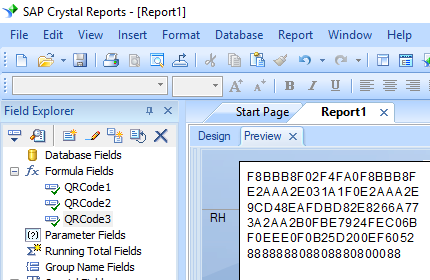
You will see some hex codes in your report. Don't worry! You have NOT applied QRCode font typeface yet.
5. Right click Text Object and choose "Format Object" from context menu. Then choose "BcsQRcodeSwissFlag" as font typeface for the Text Object.
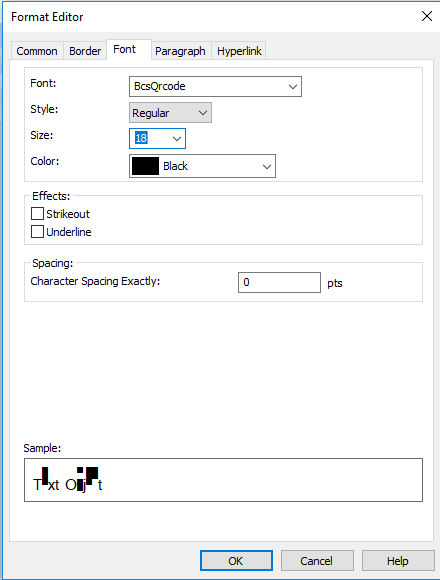
6. Click OK button. You will see a QRCode with a Swiss Flag in your report.